How to Claim PlayStation Plus Free Games Before They Expire
Every PlayStation Plus subscriber knows the feeling. You open the PS Store, spot a great free games, and tell yourself you’ll grab it later. Then later becomes never, and the title disappears from the monthly lineup for good. This guide walks you through exactly how to claim PS Plus free games before the deadline hits, so you never lose a title you actually wanted.
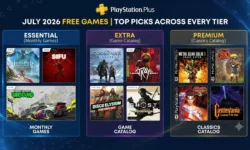
This article is part of our PlayStation Plus Free Games July 2026: Complete Guide, which covers the full Essential, Extra, and Premium lineup, release dates, and our best picks for the month. If you’ve already claimed your games and want help managing storage or organizing your library, check out our companion piece on Downloading & Managing PS Plus Games.
Understanding the PS Plus Claim Window
PlayStation free games don’t stay free forever. Sony gives subscribers a limited window, usually around four weeks, to add each month’s titles to their library. Miss the window, and the game returns to full price.
For July 2026, Call of Duty: Modern Warfare III, For the King II, and CrossCode became available on July 7. Subscribers have until August 3 to claim them before they leave the PS Plus Essential lineup. The Extra and Premium tiers work on a slightly different schedule, with titles rolled out in waves throughout the month rather than all at once.
Why Claiming (Not Downloading) Is What Matters
Here’s a detail many PS Plus members miss: you don’t need to download a game to keep it. Claiming a title, meaning adding it to your PlayStation game library, is the action that locks in your access. Once a game sits in your library, it stays there for as long as your PlayStation Plus subscription remains active, even if you never install it.
Downloading is optional and can happen anytime after claiming. If storage space is tight, our guide on Downloading & Managing PS Plus Games explains how to prioritize installs and free up room on your SSD.
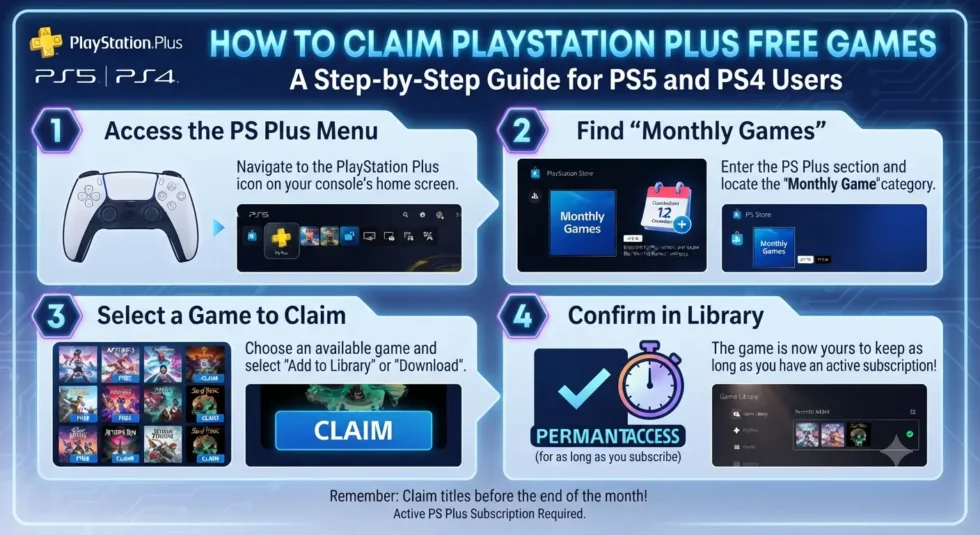
Step-by-Step: How to Claim Your PS Plus Games on PS5 or PS4
Claiming a game takes less than a minute once you know where to look.
- Open the PlayStation Store from your PS5 or PS4 home screen, or use the PS App on mobile.
- Navigate to the PlayStation Plus hub and select the current month’s lineup.
- Choose the game you want to add to your library.
- Confirm it shows as free, not full price, before proceeding. Pricing glitches occasionally appear on the web browser version of the store, so the mobile app or console interface tends to be more reliable.
- Select “Add to Library” to complete the claim.
- Repeat for each title you want, since claiming one game doesn’t automatically add the rest.
Once added, the game appears permanently in your library under “Purchased” or “PS Plus,” ready to download whenever you’re ready to play.
Common Mistakes That Cause Missed Games
A surprising number of subscribers lose access to free titles through avoidable slip-ups.
Assuming the deadline matches the calendar month. PS Plus deadlines rarely align with the last day of the month. July’s games, for example, expire on August 3, not July 31.
Forgetting to check pricing before claiming. If a title displays a price instead of “Free,” don’t hit purchase. Refresh the page or switch platforms, since this is usually a display error rather than an actual charge.
Letting a subscription lapse mid-cycle. If your PlayStation Plus membership expires before you claim a month’s games, you’ll need to resubscribe to grab them, and any missed titles from that window are gone.
Overlooking Extra and Premium staggered releases. Unlike Essential titles, which drop all at once, Extra and Premium games roll out across the month, so it’s worth checking the store more than once.
What Happens After a Game Expires
Once a title rotates out of the PS Plus lineup, it returns to its normal PlayStation Store price. If you claimed it before the cutoff, though, none of that matters. The game remains yours to keep playing as long as your subscription stays active. Cancel your membership, and access to PS Plus titles pauses until you resubscribe, but the games themselves stay tied to your account.
For the complete breakdown of this month’s Essential, Extra, and Premium titles, along with release dates and our recommended picks, head back to the PlayStation Plus Free Games July 2026 Complete Guide.