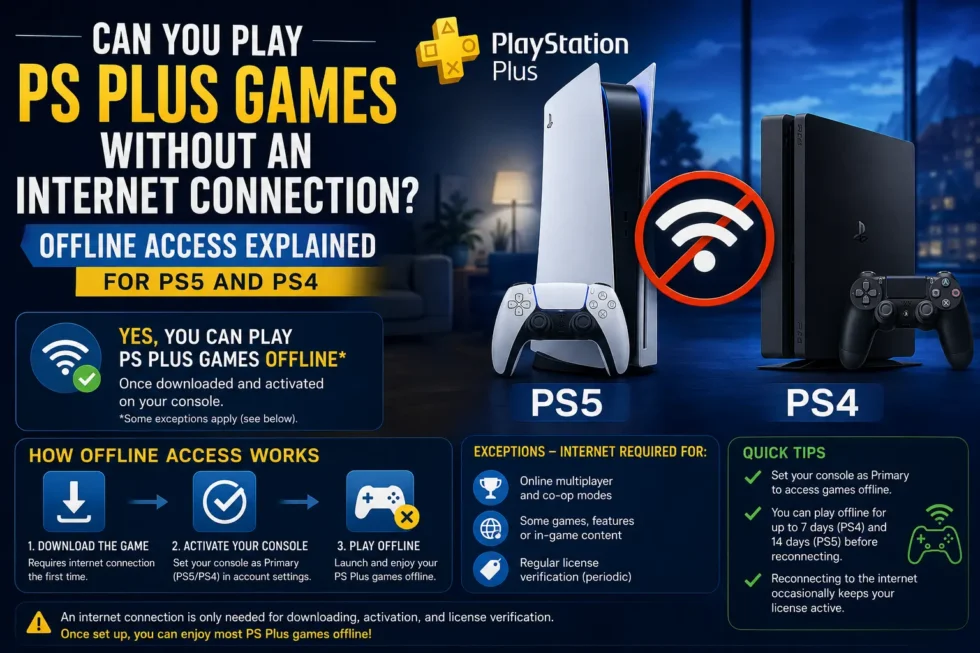
Can You Play PS Plus Games Without an Internet Connection?
Your Wi-Fi drops, a storm knocks out your router, or you’re heading somewhere with no signal, and suddenly you’re wondering whether your PlayStation Plus library will still work. The short answer is yes, PS Plus games can be played offline under the right conditions, but there are a few requirements Sony expects you to meet first. This guide explains exactly what those conditions are and how to set your console up properly before you lose your connection.
This piece continues our Downloading & Managing PS Plus Games cluster and pairs with the main PlayStation Plus Free Games July 2026 Complete Guide, which covers this month’s full Essential, Extra, and Premium lineup.
The Short Answer: Yes, With Conditions
PlayStation Plus titles can absolutely be played without an active internet connection. However, offline access only works if your console is set as your primary PS5 or PS4, and the game itself has already been fully downloaded, including any required updates or patches. Skip either step, and the game simply won’t launch once you go offline.
Why Primary Console Status Matters So Much
Sony ties every digital license, PS Plus games included, to whichever console you’ve designated as primary. A primary console can verify ownership locally, without pinging PlayStation’s servers each time you press play. Non-primary consoles need to check in online before granting access, which is exactly why offline play fails on a secondary PS5 or a friend’s console, even if the game is installed there.
Setting your console as primary takes a few steps:
Go to Settings, then Users and Accounts.
Select Other, then choose Console Sharing and Offline Play.
Click Enable. If the option already reads “Disable,” your console is already set as primary.
Only one console per account can hold this status at a time, so switching between a home console and a second PS5 requires re-enabling it each time.
Games Requiring an Active Subscription vs. Fully Offline Titles
Not every PS Plus title behaves the same way offline. Single-player games claimed through Essential, Extra, or Premium generally play fine without internet, provided your subscription hasn’t lapsed and the console is primary. Multiplayer-focused titles are a different story entirely, since online modes depend on PlayStation Network connectivity by design and simply won’t function offline, subscription or not.
Some games also bundle online-only content into their core experience. Campaign modes in many major releases remain playable offline, while competitive multiplayer components stay locked behind an active connection regardless of your console settings.
What Happens If Your Subscription Lapses While Offline
Here’s an important nuance. Your console periodically checks in with PlayStation’s servers to confirm your PS Plus subscription is still active, even during otherwise offline play sessions. If your subscription expires while you’re disconnected for an extended stretch, previously playable PS Plus titles can lock themselves out the next time your console attempts that check. Staying offline for a weekend trip is rarely an issue, but weeks without reconnecting can trigger this.
Troubleshooting Offline Access Problems
If a PS Plus game refuses to launch offline despite meeting the requirements above, work through these checks:
Confirm the game is fully downloaded, including any pending patches, since partial downloads won’t run without completing first.
Re-verify primary console status, since this setting occasionally resets after system updates or account changes.
Check for pending updates the next time you’re online, as outdated game versions sometimes require a connection check before launching.
For deeper troubleshooting around locked titles specifically, our article on Why Your PlayStation Plus Game Is Locked and How to Fix It covers license restoration and related fixes in detail.
Planning Ahead for Offline Sessions
If you know you’re heading somewhere without internet, whether it’s a flight, a cabin trip, or just an unreliable connection, download your games and confirm your console’s primary status beforehand. Doing this a day in advance gives you time to catch any update issues while you still have a connection to fix them.
For the complete rundown of this month’s free PlayStation Plus titles and how to manage your downloads, head back to the PlayStation Plus Free Games July 2026 Complete Guide or our Downloading & Managing PS Plus Games cluster article.