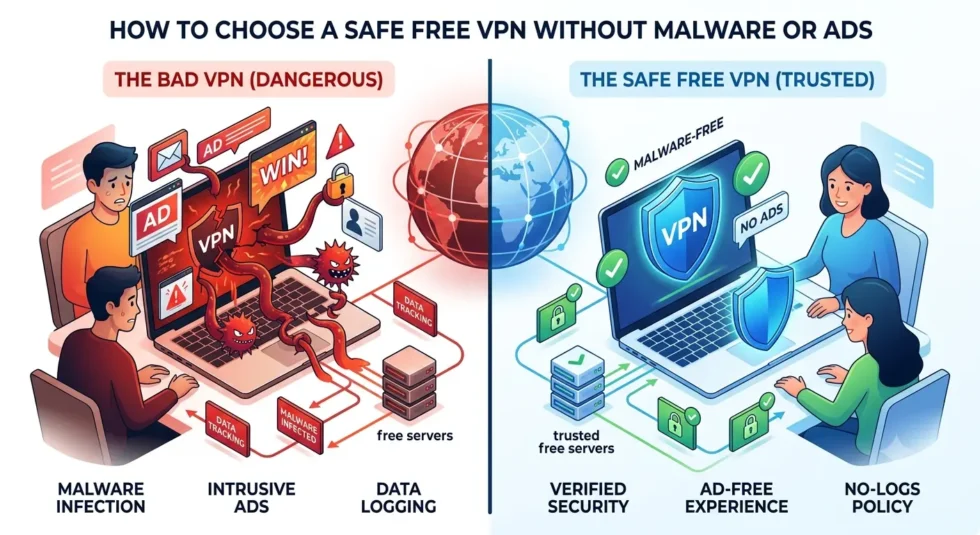
How to Choose a Safe Free VPN Without Malware or Ads
A safe free VPN sounds like a contradiction to many privacy-conscious users, and honestly, that skepticism is fair. Free VPN apps have a well-documented history of bundling malware, injecting intrusive ads, and tracking the exact activity they claim to protect. This guide walks through practical steps for finding a safe free VPN, spotting malware before installation, and avoiding apps that treat ads as a hidden revenue stream.
For a full ranking of trustworthy providers, see our Free VPN Complete Guide (2026). If you’re also wondering whether these apps sell your information, our article on free VPN data risks covers that angle in depth.
Why Some Free VPN Apps Aren’t Safe
Free VPN development still costs money, even when users pay nothing upfront. Some companies cover those costs through legitimate advertising or freemium upgrades. Others take shortcuts, bundling malware into their installers or injecting third-party ad trackers directly into user traffic.
Independent security audits have flagged a striking number of free VPN apps on major app stores for containing malware, aggressive trackers, or excessive permission requests. Downloading blindly from an app store ranking isn’t enough to guarantee safety, since popularity doesn’t equal trustworthiness.
Signs of Malware in Free VPN Apps
Malware doesn’t always announce itself with obvious pop-ups or crashes. Recognizing subtler warning signs helps you catch a compromised app before it causes real damage.
- The app requests permissions unrelated to VPN functionality, like access to your camera or contacts
- Battery drain increases noticeably after installation, suggesting background processes you didn’t authorize
- Unfamiliar apps or browser extensions appear on your device shortly after installing the VPN
- Antivirus software flags the installer or app package during a routine scan
- The developer has no verifiable company information, physical address, or support contact
A single sign might have an innocent explanation, but several appearing together should push you toward uninstalling immediately.
How to Spot Excessive or Deceptive Ads
Ad-supported free VPNs aren’t inherently unsafe, but the type and volume of advertising matters. Some providers rely on standard banner ads within the app interface, which is a reasonably transparent trade-off for free access.
Other providers cross a line by injecting ads directly into your browsing sessions, altering webpage content, or redirecting search results toward sponsored links. This practice, sometimes called ad injection, undermines both privacy and security, since it requires intercepting and modifying your encrypted traffic at the app level.
Checking Permissions Before You Install
Reviewing requested permissions takes less than a minute and reveals a lot about an app’s intentions. A safe free VPN generally needs network access and little else. Requests for contacts, SMS messages, or call logs have no legitimate connection to VPN functionality and should raise immediate suspicion.
Both iOS and Android let you review permissions before downloading, directly on the app store listing. Comparing those requests against the app’s stated purpose is one of the fastest screening steps available to any user.
What Makes a Free VPN Genuinely Safe?
A handful of concrete criteria separate a safe free VPN from a risky one. Look for a published privacy policy that names specific data practices instead of vague partner-sharing language. Confirm the provider has undergone an independent security audit within the past year or two.
Check the company’s headquarters and legal jurisdiction, since privacy protections vary significantly by country. Favor providers with a clear, sustainable business model, whether that’s a freemium structure or limited advertising, over apps with no visible revenue source at all.
Free VPN Safety Checklist
Use this checklist before installing any free VPN app.
- Read reviews from established cybersecurity outlets, not just app store ratings
- Verify the provider publishes a no-logs policy backed by an independent audit
- Check requested permissions against the app’s actual VPN functionality
- Research the company’s ownership, headquarters, and legal jurisdiction
- Scan the installer with antivirus software before running it
- Monitor battery usage and data consumption during the first week of use
Working through this list takes a few extra minutes, but it dramatically lowers the odds of installing a malicious or data-hungry app.
Safe Free VPN vs Risky Free VPN at a Glance
| Factor | Safe Free VPN | Risky Free VPN |
|---|---|---|
| Permissions requested | Network access only | Contacts, SMS, camera, and more |
| Privacy policy | Specific and detailed | Vague or missing |
| Security audits | Published and recent | Absent |
| Ad behavior | Standard in-app banners | Traffic injection or redirects |
| Company transparency | Named ownership and address | Anonymous or unclear |
Comparing a provider against this table before installation gives you a quick, practical safety check.
Final Thoughts on Choosing a Safe Free VPN
Finding a safe free VPN takes more effort than picking the first result in an app store search, but the process isn’t complicated once you know what to check. Reviewing permissions, confirming audits, and researching company transparency will filter out the majority of risky apps.
For a curated list of providers that meet these safety standards, visit our Free VPN Complete Guide (2026). To understand how free VPNs compare against paid alternatives on privacy grounds, read our guide on free VPN vs paid VPN protection.