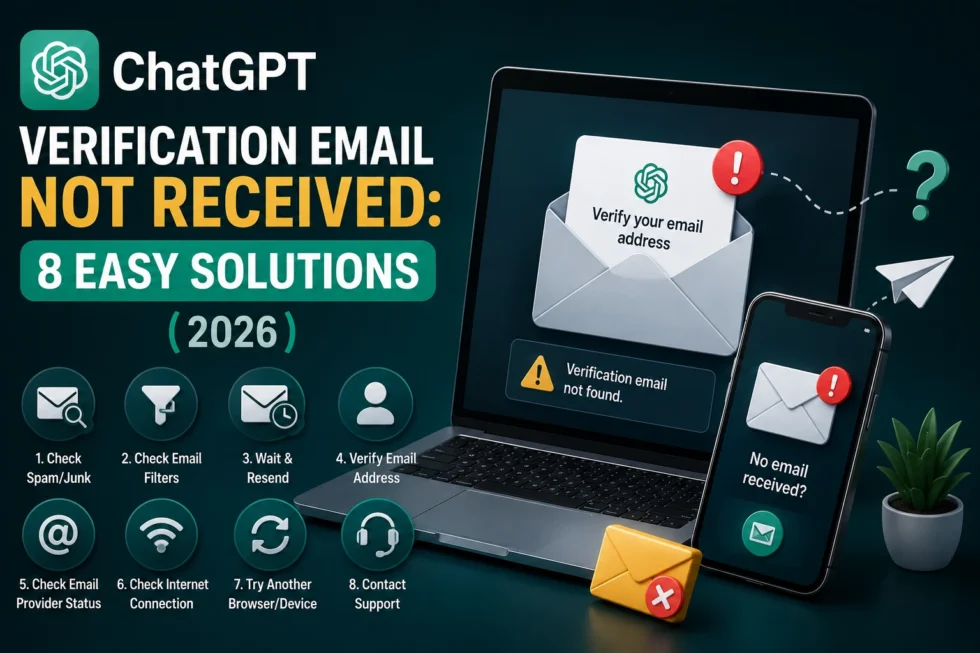
ChatGPT Verification Email Not Received 8 Easy Solutions 2026
A missing ChatGPT verification email is one of the most frustrating sign-up roadblocks, especially when you’ve triple-checked your inbox and still see nothing. In most cases, the email got filtered, delayed, or sent to the wrong address entirely. Below, you’ll find every reason this happens, along with simple, step-by-step solutions to get your code or link delivered.
This article is part of our ChatGPT Login Problems: Complete Guide to Sign-In, Logout, Verification & Account Recovery cluster. For every other ChatGPT issue and hidden feature, visit the main ChatGPT Problems, Fixes, Tips & Hidden Features (2026): The Complete Troubleshooting Guide.
Why Isn’t Your ChatGPT Verification Email Arriving?
Verification emails typically fail to arrive for one of three reasons: spam filtering, delivery delays on OpenAI’s side, or a typo in the email address you entered during sign-up. Identifying which category applies to you narrows down the fix considerably.
Before trying anything advanced, confirm the basics. Did you type your email correctly, and has enough time actually passed?
1. The Email Landed in Spam or Junk
Email providers frequently misclassify automated messages, and OpenAI’s verification emails are no exception. This is the single most common reason people report not receiving their code.
Fix: Check your Spam, Junk, and Promotions folders carefully. Gmail users should also check the “All Mail” tab, since filtered messages sometimes skip the main inbox entirely.
2. Delivery Delay on OpenAI’s Servers
During periods of high sign-up traffic, verification emails can take longer than usual to send. Most arrive within a few minutes, but delays of up to 30 minutes aren’t unusual during peak hours.
Fix: Wait at least 15-20 minutes before requesting a new code. Requesting multiple codes in rapid succession can actually slow things down further, since older codes get invalidated each time.
3. Typo in Your Email Address
A single misplaced letter during sign-up sends your verification email to an address you don’t own or can’t access. This mistake happens often on mobile keyboards, where autocorrect can silently alter what you typed.
Fix: Go back to the sign-up screen and re-enter your email carefully. If ChatGPT allows you to edit the address before resending, do so, then double-check the spelling before submitting again.
4. Email Provider Blocking Automated Messages
Some email providers, particularly ones tied to schools or workplaces, block automated or bulk messages by default. This filtering happens at the server level, so it won’t even show up in your spam folder.
Fix: Try signing up with a personal email address like Gmail or Outlook instead of a work or school account, since these tend to have stricter filtering rules.
5. Email Client Caching or Sync Delays
Mobile mail apps don’t always sync instantly, and cached inbox data can hide a newly arrived message temporarily. This is especially common on iPhone Mail or older Android mail clients.
Fix: Manually refresh your inbox by pulling down on the screen, or close and reopen your email app entirely. Checking your email through a browser instead of an app often reveals messages faster.
6. Verification Code Already Expired
Most ChatGPT verification codes expire within 10-15 minutes of being sent. If you waited too long to check your inbox, the code you eventually found may no longer work.
Fix: Request a fresh code rather than trying to use an old one. Enter the new code within a few minutes of receiving it to avoid the same problem again.
7. Account Already Exists With That Email
Occasionally, no verification email arrives because an account already exists under that address. OpenAI’s system won’t send a new sign-up email to a previously registered account.
Fix: Try logging in instead of signing up again. If you’ve forgotten your password, use the “Forgot Password” option to regain access rather than creating a duplicate account.
8. OpenAI Server or Email Service Outage
Rarely, the issue sits entirely outside your control, and it stems from a broader outage affecting OpenAI’s email delivery system. These outages are usually short-lived but can affect many users simultaneously.
Fix: Check the OpenAI Status page for any reported issues, and try again once the status shows normal operation.
Quick Checklist Before Contacting Support
Run through this list before escalating the issue further:
- Confirm your email address was typed correctly during sign-up.
- Check spam, junk, and promotions folders thoroughly.
- Wait at least 15-20 minutes for delivery delays to clear.
- Try a different email provider if your current one blocks automated mail.
- Confirm you don’t already have an existing account under that address.
How to Prevent This Issue Next Time
A few habits make future sign-ups smoother:
- Use a personal email address rather than a school or work account.
- Add OpenAI’s sender address to your contacts to avoid spam filtering.
- Type your email slowly and double-check it before submitting.
- Sign up through a browser instead of a mobile app when possible, for more reliable syncing.
Still Not Receiving Your ChatGPT Verification Email?
If you’ve worked through every solution above and still see nothing, the issue likely requires direct support from OpenAI. Reach out through the Help section, and mention your email provider along with the exact time you requested the code, so support can trace the delivery attempt.
Related Reading
For a complete breakdown of ChatGPT authentication issues, including sign-in errors and iPhone logout problems, see our cluster guide: ChatGPT Login Problems: Complete Guide to Sign-In, Logout, Verification & Account Recovery.
For every other ChatGPT issue, tip, and hidden feature we’ve documented, visit the pillar guide: ChatGPT Problems, Fixes, Tips & Hidden Features (2026): The Complete Troubleshooting Guide.